Document image watermark removerFor screenshots filled with text.
Upload a PDF screenshot, Word page image or scan. Remove the visible watermark automatically, compare text and numbers, then download PNG.
YOUR IMAGEA clean slate starts here
Automatic document repair · no selection needed
How it works
1. Upload a readable JPG, PNG or WebP page image. 2. Click Remove watermark; the complete image is processed automatically. 3. Check text and numbers, then download PNG. No brushing is needed.
CONTROLS
Upload a photo
01 / 03
Upload an image, then brush over the watermark.
Preparing0s
Keep this page open.
PreciseBroad
Adjust selection
Sign in with Google. Your first sign-in includes 1 credit.
Edit only files you own or have permission to modify. Review reconstructed detail before using the result. Acceptable Use
1 free credit on first sign-in · 1 credit per repair · PNG output
Try a text-heavy image: · ·
One screenshot in, PNG out. No brush required. Review text and numbers in the result.
ONE IMAGE WORKFLOW
The screenshot matters, wherever it came from
A document image watermark remover works on the visible pixels of a screenshot or scan. A PDF page capture, a Word screenshot and a photographed handout are all images once saved as JPG, PNG or WebP.
Upload the text-heavy image, remove the watermark automatically and compare the result. You do not need to edit the original PDF or Word file, or paint over each letter of the overlay.
Document screenshots, before and after
See the screenshot watermark remover on a dense technical page, a report and a handout.
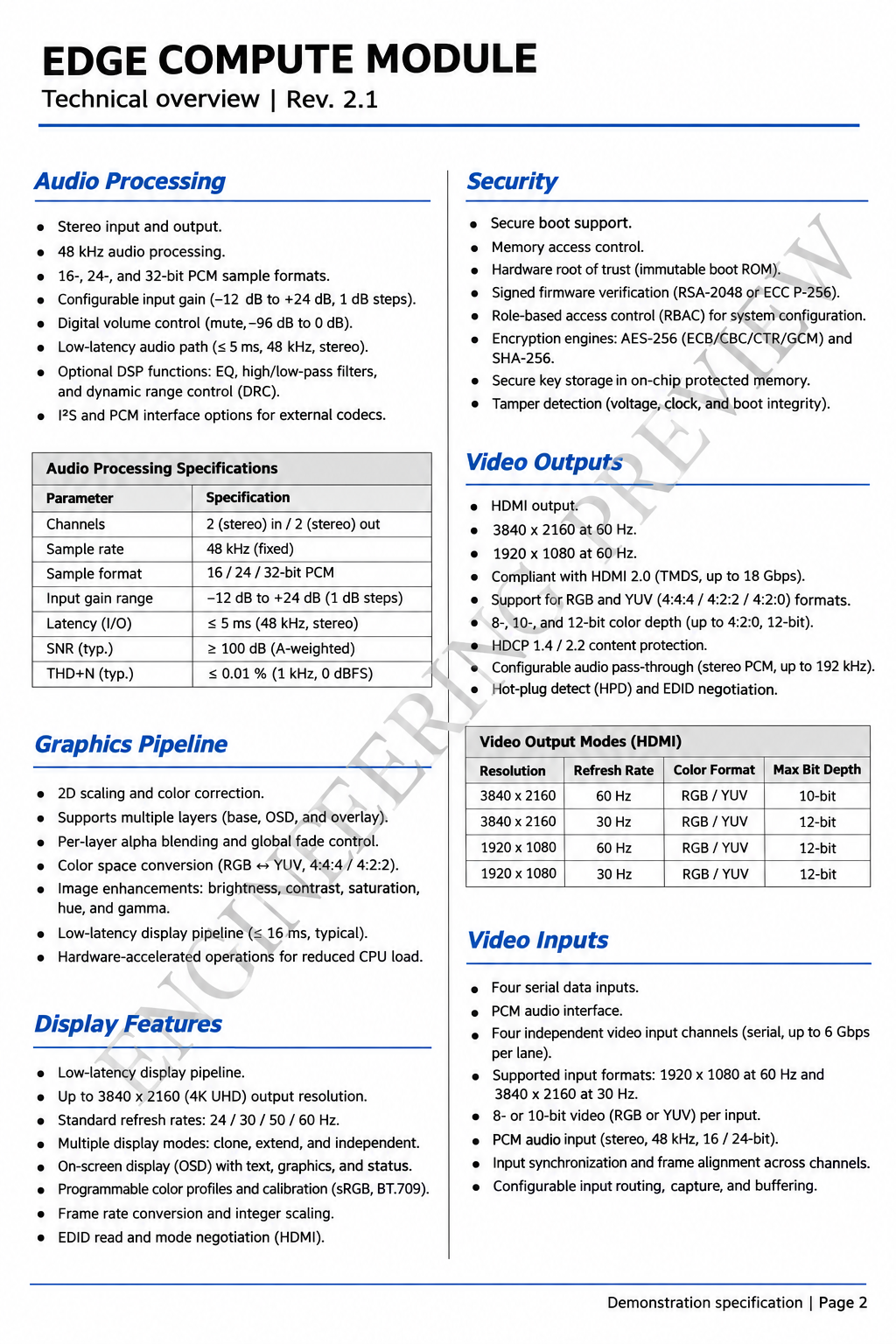
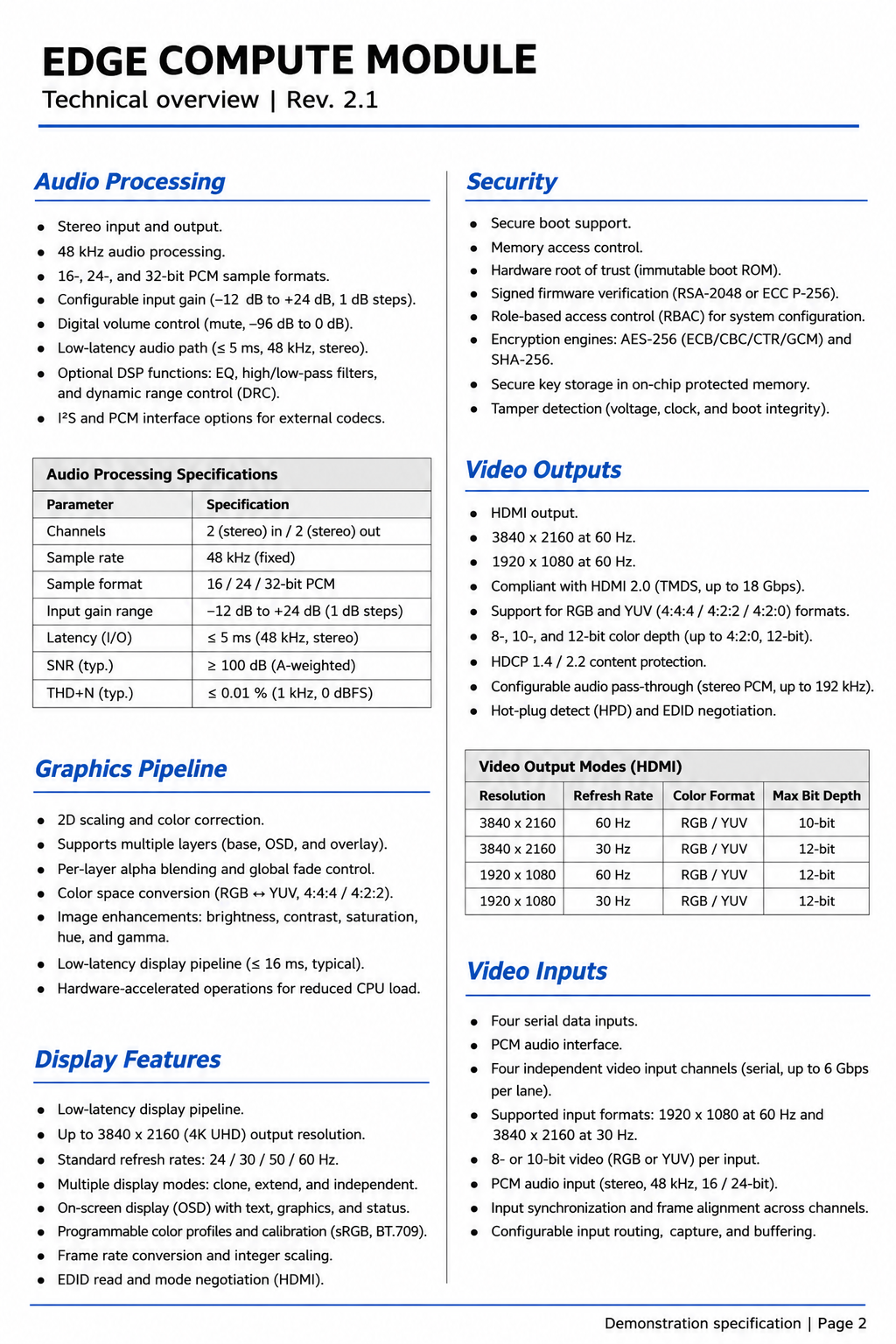
Your review meeting is coming up, and the specification you need is a PDF page screenshot with a diagonal preview mark. Use the document image watermark remover to process the complete image without tracing each letter. When you remove a watermark from a PDF screenshot, check units, resolution values and table alignment before putting the PNG in your reference packet. This fictional technical page shows an actual automatic repair. Try this document image.
Watermarked imageAutomatic removal
Check the 48 kHz sample rate, 3840 × 2160 output values, symbols and table alignment.
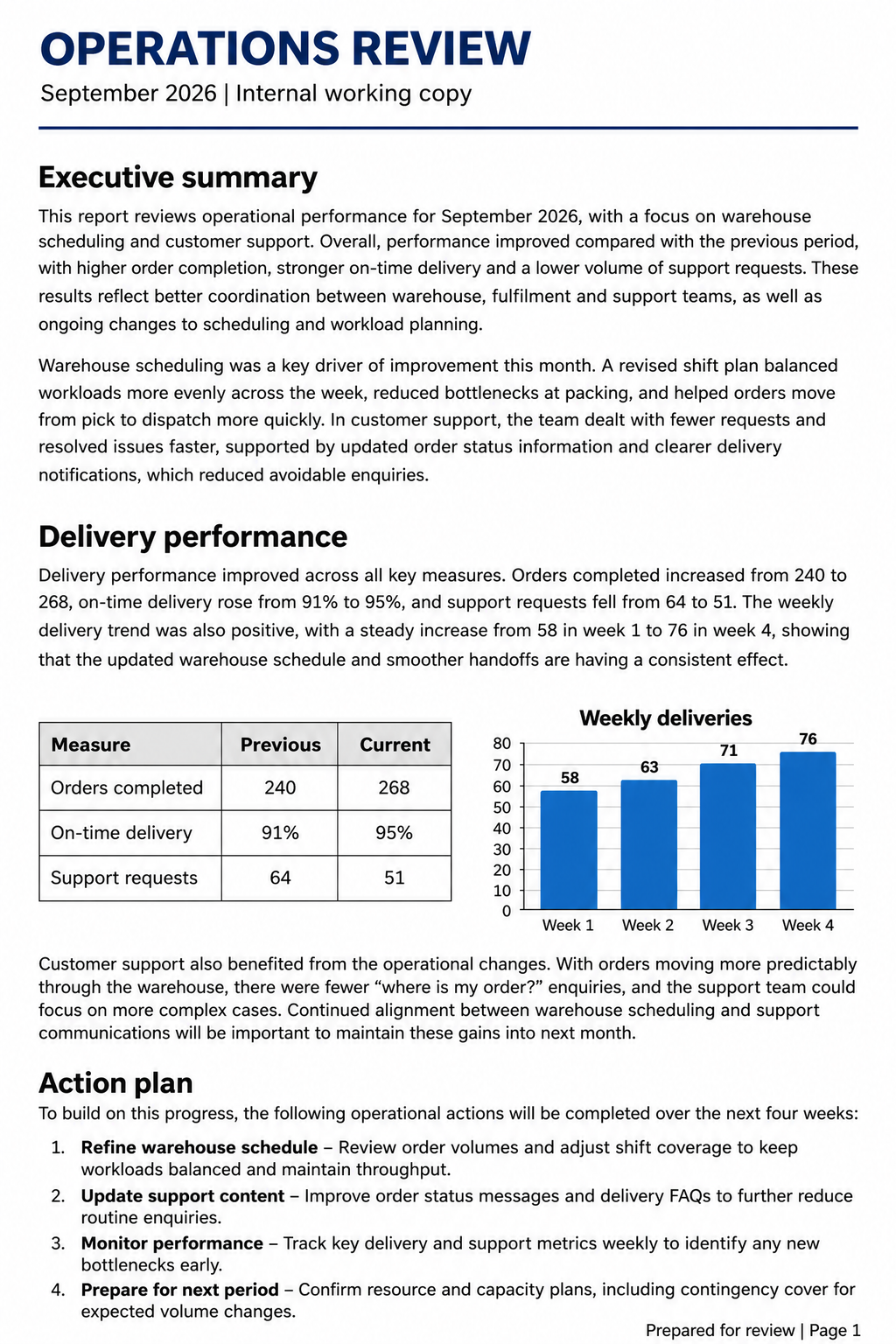
You are finishing the monthly presentation, but the report screenshot still has DRAFT across its table and chart. The screenshot watermark remover processes the whole image automatically. After you remove watermarks from document images, compare counts, percentages and chart labels against the original before adding the PNG to a slide. This fictional report demonstrates the workflow; the result is an image, not an editable spreadsheet. Try this document image.
Watermarked imageAutomatic removal
Compare 240/268 orders, 91%/95% delivery rates and the four weekly chart labels.
Tomorrow's staff session needs this handout, but your saved page image carries INTERNAL COPY across the checklist. Use the document screenshot watermark remover on the complete JPG, PNG or WebP. When you remove watermarks from text images, inspect file names, checkboxes and the version number before sharing an authorized handout. This fictional training page shows an actual automatic repair and remains an image rather than editable Word text. Try this document image.
Watermarked imageAutomatic removal
Inspect file names, checklist boxes, section order and the small version number.
Inputs are AI-generated fictional document images; comparisons show actual automatic repairs. Open a page image to inspect it at full size.
AUTOMATIC DOCUMENT WORKFLOW
Automatic watermark removal for text-heavy images
When your working copy is a screenshot, remove watermarks from document image pixels without painting a selection. The workflow keeps upload, processing, comparison and PNG download together.
Process the complete screenshot
The document image watermark remover finds visible overlays across text-heavy screenshots without a painted mask. Use this screenshot watermark remover for faint diagonal words or repeated review labels that cross paragraphs, tables and headings.
The source app does not change the image workflow
Remove watermarks from document images whether the pixels came from a PDF viewer, Word, a slide, a scanned handout or another document app. This tool processes the uploaded image; it does not need the original document or app. Start with the clearest page image you have.
Inspect the text before downloading
After you remove a watermark from a screenshot, compare the original and result at a readable size. The document screenshot watermark remover returns a PNG image. Check numbers, units, names and small type because reconstruction can change individual characters.
THREE STEPS
How to remove a watermark from a screenshot
01
Upload the text-heavy image
To remove watermarks from document images, add a JPG, PNG or WebP up to 10 MB. Use a PDF page screenshot, Word page capture, report screenshot or scan. Images longer than 2048 pixels on one edge are resized for editing.
02
Remove automatically
Select Remove watermark in the screenshot watermark remover. The complete image is processed without circling the mark. The progress panel shows the current stage and elapsed time; a connection interruption can be recovered by checking the same task.
03
Compare and download
The document image watermark remover lets you compare the result with the original. Inspect the paragraphs, table entries and fine lines, then download the PNG image for a reference packet, presentation or other image workflow.
Text screenshots this workflow is built for
Image source
What to upload
What to check
PDF page screenshot
A clear capture or exported JPG/PNG/WebP.
Small type, units, tables and page labels.
Word page screenshot
The captured page image.
Headings, paragraphs and punctuation.
Report or slide screenshot
The image containing the visible watermark.
Chart values, captions and table cells.
Scanned notes or handout
A readable, straight scan saved as an image.
Letter shapes, checkboxes and fine rules.
Review the text, not just the watermark
To remove watermarks from text images, the tool reconstructs the complete image. It does not guarantee character-for-character preservation. Compare the source and result at a readable size, especially where a watermark crosses technical values or small print.
Check numbers, units, names and punctuation.
Inspect table cells, chart labels and column boundaries.
Keep the original screenshot alongside the cleaned result.
Upload only images you have permission to modify.
QUESTIONS & ANSWERS
Questions about document image watermark removal
What is a document image watermark remover?
A document image watermark remover removes visible overlays from images containing text: PDF screenshots, Word page captures, reports, notes and scans. The input and output are images. The screenshot watermark remover processes the complete page automatically without a painted selection.
How do I remove a watermark from a PDF screenshot?
To remove a watermark from a PDF screenshot, save the page capture as JPG, PNG or WebP, upload the image and select Remove watermark. The PDF screenshot watermark remover works on the visible image pixels, then returns a PNG image to inspect and download.
Can I remove a watermark from a Word screenshot?
You can remove a watermark from a Word screenshot with the same image workflow. Upload the page capture and process it automatically. The original app—Word, a PDF reader or another editor—does not change how the screenshot watermark remover receives the image.
Can I upload PDF, DOCX or DOC files directly?
The document image watermark remover accepts JPG, PNG and WebP images. For a PDF, DOCX or DOC file, capture or export the page you need as an image first. This workflow returns a PNG, rather than editing a document file or producing editable text.
Do I need to circle or brush over the watermark?
You do not need to circle the watermark. The document screenshot watermark remover processes the complete uploaded image automatically. This is useful for a diagonal watermark or translucent watermark crossing several lines of text.
Can it remove a DRAFT watermark or faint diagonal text?
The screenshot watermark remover can process visible overlays such as a DRAFT watermark, INTERNAL COPY or a pale diagonal label. The examples on this page show actual automatic repairs of fictional document images. Inspect the result when an overlay crosses small text or numbers.
Can I remove a watermark from a scanned document image?
You can remove a watermark from a scanned document image saved as JPG, PNG or WebP. Start with a straight, readable scan. This workflow removes visible watermarks from text images and returns an image; it does not perform OCR-to-Word conversion.
Will every word and number stay exactly the same?
The document image watermark remover reconstructs the image, so individual characters, values, punctuation or fine lines can change. Compare the complete screenshot with the original before using it. Pay particular attention to technical specifications, names and table cells.
What image size and download format are supported?
The screenshot watermark remover accepts one JPG, PNG or WebP up to 10 MB. Inputs above a 2048-pixel long edge are resized for editing. The result downloads as a PNG image with the editing dimensions. Process additional page images one at a time.
How are uploaded document screenshots processed?
Automatic document image watermark removal sends the complete image to APIMODELS. Generated outputs may be retained by the provider for up to 30 days. Images use private temporary Cradler storage. Repair links expire after 30 minutes; files are removed by daily cleanup. Upload only images you have permission to modify.