
Shutterstock Watermark Remover

Inspect repeated overlays and the separate image-number area.

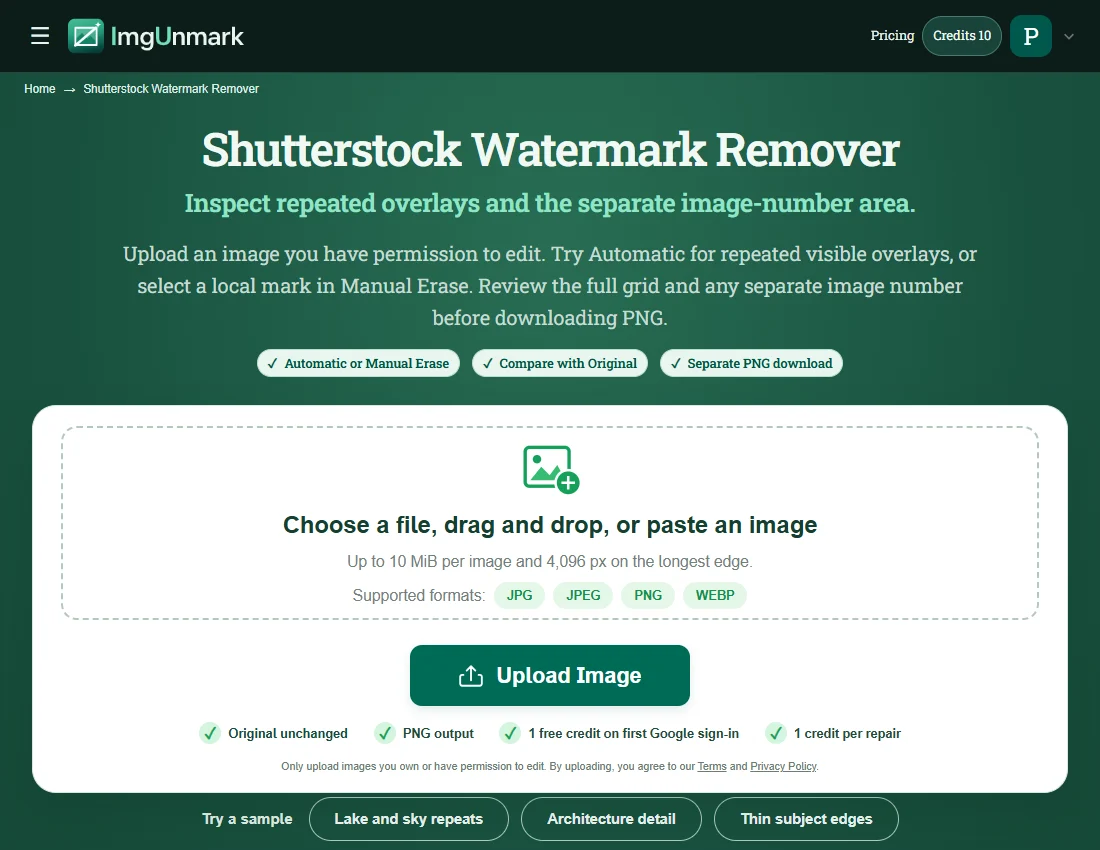
Upload an image you have permission to edit. Try Automatic for repeated visible overlays, or select a local mark in Manual Erase. Review the full grid and any separate image number before downloading PNG.

  • Automatic or Manual Erase
  • Compare with Original
  • Separate PNG download
  • Original unchanged
  • PNG output
  • 1 free credit on first Google sign-in
  • 1 credit per repair

Try a sample

  • Stripe checkout
  • One-time payment · No subscription
  • Credits never expire
Quick answer

A Shutterstock watermark remover needs to account for repeated preview marks rather than only one corner logo. Start with a licensed clean download when it is available. For a permitted image repair, upload JPG, PNG or WebP, use Automatic or a focused manual selection and compare the whole frame. Inspect any separate ID as well as the repeated overlay. Repair does not provide a Shutterstock license or recover exact hidden detail.

Shutterstock Watermark Remover — Features & Limits

Choose a method for the overlay in your actual file. Review both the repaired area and the content you want to keep.

FeatureWhat ImgUnmark offers
Input and outputOne JPG, PNG or WebP up to 10 MiB and 4,096 px on the longest edge. Download a separate PNG; this workflow edits still-image pixels.
Focused manual repairManual Erase preserves input dimensions and pixels outside your selection. Select up to 20% of the image per repair; do not select the full frame.
Automatic repairAutomatic attempts visible overlays without brushing. Its output dimensions, framing and fine detail may differ; compare the entire result before use.
Scene-specific reviewAutomatic can attempt a distributed overlay without brushing. After processing, scan systematically from the top-left to the bottom-right rather than judging the centre alone. Repeated marks can be faint over highlights and stronger over darker subjects.
Sign-in and pricingGoogle sign-in is required. First sign-in includes one welcome credit. Each new repair uses one credit; comparing and downloading an existing result use no extra credits. Confirmed failed repairs return the credit.
Privacy and storageAI repair sends image content to a processing service. Originals, selection masks and results remain in private storage without automatic expiry. See the Privacy Policy for the current handling of your images.

Repair estimates hidden content and does not grant usage rights. Privacy Policy · Acceptable Use

What does a Shutterstock watermark remover repair?

Stock-preview overlays can repeat across an image, cross a subject and leave an additional identifier near an edge. Shutterstock’s official contributor documentation describes an updated preview watermark, so do not assume that every older preview has one fixed appearance. Inspect your particular file for the repeated words, connecting strokes, opacity and any separate image-number region before deciding what to repair.

A tiled overlay presents a different task from a single credit block. Several small marks may cover sky, masonry and the main subject in the same picture. Automatic can attempt those visible marks across the frame, but completeness needs inspection. A successful-looking centre does not prove that a pale repeat disappeared in the upper corners or that the image number was addressed.

Manual Erase offers a focused approach for a local remaining mark. Select a compact region with Rectangle or Brush, including faint line edges, and keep the selection within the editor’s current limit. Selecting the full image is not a supported shortcut around that limit. Multiple passes use additional credits and can accumulate reconstruction changes. If accurate detail or broad watermark coverage is important, retrieve the properly licensed clean asset instead.

Source guidance checked November 13, 2026: Shutterstock official help · Shutterstock official help

Where Shutterstock image repair fits, and where it needs care

  • Repeated grid across the frame: Automatic can attempt a distributed overlay without brushing. After processing, scan systematically from the top-left to the bottom-right rather than judging the centre alone. Repeated marks can be faint over highlights and stronger over darker subjects.
  • Separate image identifier: Look along the borders for an ID string that sits apart from the main grid. Its presence and location depend on the input. Do not assume that finding a logo also finds a number; review that region independently.
  • Local missed repeat: Use Manual Erase on a compact remaining mark instead of selecting all repeats in one oversized region. Include connected lines or shadows that belong to the overlay. Compare the nearby texture before processing another part.
  • Architecture and repeating textures: Brick courses, window grids and bicycle spokes can expose reconstruction errors. Inspect line continuity, spacing and perspective. A repaired patch should make visual sense in the whole structure, not merely contain less text.
  • Licensed production assets: For commercial layouts or detail-sensitive work, a clean licensed download is the stronger source. Image repair estimates covered content and does not establish permission, replace an invoice or guarantee the original pixels beneath the overlay.

Four Shutterstock image-repair scenarios

Generated fictional inputs illustrate permitted edits. After images, where shown, are actual saved repair-engine outputs, not generated clean originals. Inspect each pair and its method note.

Overlay to inspect: the repeated sample grid and separate image ID.

Click an image to inspect the full-size file.

Lake and sky repeats

Scan a lake preview from edge to edge

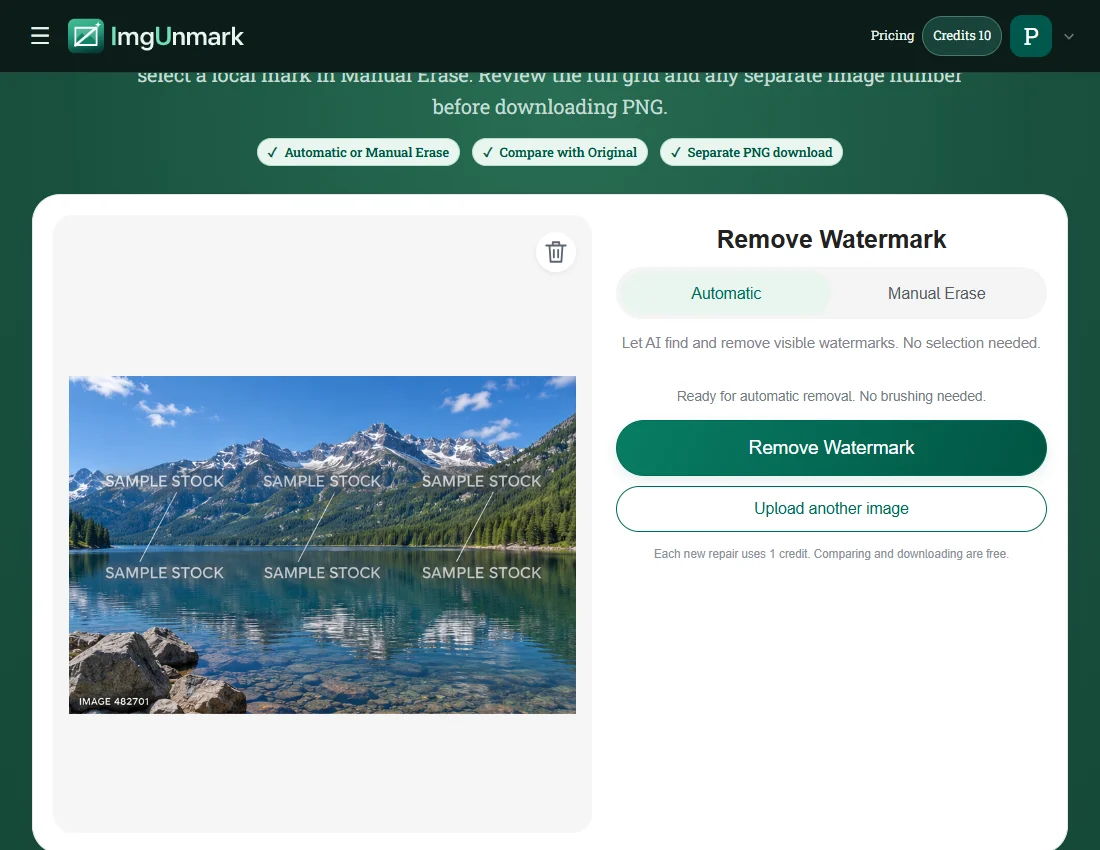
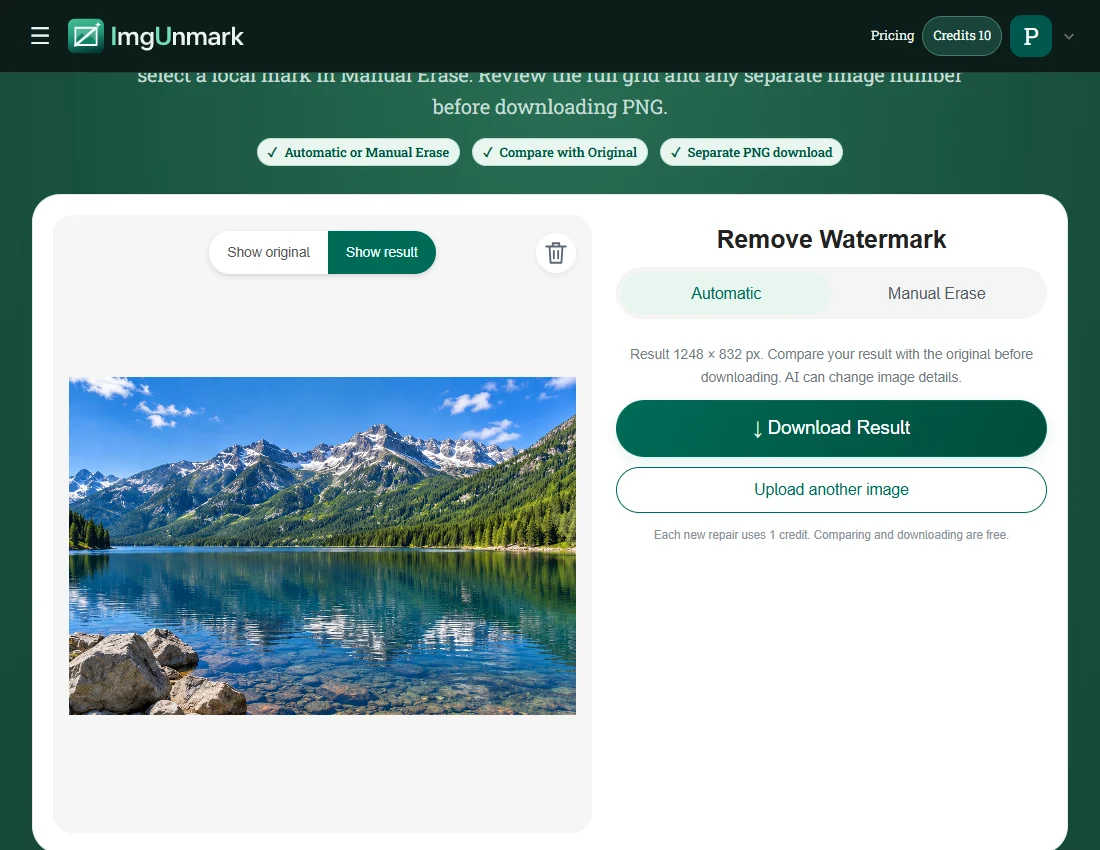
The fictional lake preview carries repeated SAMPLE STOCK labels across water and sky, plus an IMAGE 482701 corner label. After the automatic attempt, compare mountain boundaries, reflections and the separate number region. This generated input illustrates a preview pattern; it is not a downloaded Shutterstock asset or a test of every watermark version. Try this input.

Actual Automatic output on a generated fictional input. Individual results can differ. Overlay removed in this saved result; reconstructed texture may differ.
Overlay to inspect: the repeated sample grid and separate image ID.

Click an image to inspect the full-size file.

Architecture detail

Check brickwork after a grid repair

The office façade makes line accuracy visible: bricks, windows and mortar should retain coherent spacing after repair. Inspect the repeated grid and border lettering, then compare perspective at full-frame size. The saved pair records the actual engine output; softened texture or shifted lines can make a result unsuitable for a final architectural layout. Try this input.

Actual Automatic output on a generated fictional input. Individual results can differ. Overlay removed in this saved result; reconstructed texture may differ.
Overlay to inspect: the repeated sample grid and separate image ID.

Click an image to inspect the full-size file.

Thin subject edges

Protect the bicycle’s thin outlines

The bicycle combines a plain wall with difficult spokes and thin frame tubes. Check the wall for overlay remnants, then compare wheel circles, cables and contact shadows. Automatic reconstruction can change mechanical detail even when the watermark disappears. Use the clean original when the bicycle geometry must be faithful. Try this input.

Actual Automatic output on a generated fictional input. Individual results can differ. Inspect spokes and frame geometry; the automatic result reconstructs fine mechanical detail.

Overlay to inspect: the repeated sample grid and separate image ID.

Click an image to inspect the full-size file.

Food and surface texture

Compare fruit texture and shadow

The citrus still life tests repeated marks over pale tabletop, textured peel and cast shadows. Inspect every repeated location and the separate ID. Judge surface detail at the intended display size rather than checking only whether overlay text is readable. Keep the source and repaired PNG together for comparison. Try this input.

Actual Automatic output on a generated fictional input. Individual results can differ. Overlay removed in this saved result; reconstructed texture may differ.

How to use the Shutterstock Watermark Remover

  1. Upload the permitted preview image

    Use a JPG, PNG or WebP file that you own or have permission to modify. If you already have access to the clean licensed download, use that instead of repairing a preview. Keep the entire frame so you can review all repeated marks and any separate ID. Sign in with Google before submitting a repair; no Shutterstock account connection is involved.

    Shutterstock practice image: Upload the permitted preview imageView screenshot
  2. Choose the first pass deliberately

    Try Automatic for a distributed visible grid, or use Manual Erase for a compact overlay area. A manual rectangle is for a local mark, not an instruction to select the full frame. Stay within the displayed selection limit. If a mark remains after an automatic attempt, inspect the existing result before choosing a smaller follow-up repair and spending another credit.

    Shutterstock practice image: Choose the first pass deliberatelyView screenshot
  3. Inspect the grid, ID and subject

    Compare Original and the result across the complete image. Check each repeated location, faint connecting strokes and the independent number area. Review fine lines, water reflections and subject edges as well. Download the PNG when its detail is acceptable for the permitted purpose. Image reconstruction and permission are separate questions; the repaired file does not provide a stock license.

    Shutterstock practice image: Inspect the grid, ID and subjectView screenshot

Practice screenshots show the page and a saved real repair result. Account and task responses used to illustrate the interface are simulated; no new repair is submitted for the screenshots.

Frequently asked questions

Can this page remove repeated Shutterstock-style marks?+

Automatic can attempt visible repeated overlays, and Manual Erase can target a local area. Results depend on coverage, contrast and the underlying detail.

Will it remove the separate image number too?+

Do not assume so. Inspect any ID string independently of the main watermark grid.

Can I select the whole watermark grid with Rectangle?+

Manual Erase has an area limit, so selecting the whole image is not a supported workflow. Use a compact selection for a local mark or try Automatic for a distributed overlay.

Is removing the overlay the same as licensing the image?+

No. A pixel repair does not purchase a Shutterstock license or establish usage rights.

What happens to image dimensions?+

Manual Erase keeps the pixel dimensions of the image being edited and preserves unselected pixels. Automatic returns AI output whose dimensions, framing and fine detail may differ.

Is there a free repair and do refinements cost credits?+

First Google sign-in includes one welcome credit. Each new repair, including a further refinement, uses one credit.

Simple pricing. No subscription.

See full pricing →

Starter

For occasional edits

$6.99one-time

20 credits · 20 edits

Recommended

Pro

For regular creators

$12.99one-time

50 credits · 50 edits

Studio

Best value for studios

$18.99one-time

90 credits · 90 edits

Try the watermark remover with 1 free credit on your first Google sign-in. Each repair uses 1 credit. Prices are in USD.

Try the Shutterstock Watermark Remover on an image you may edit

Upload your image